Introduction
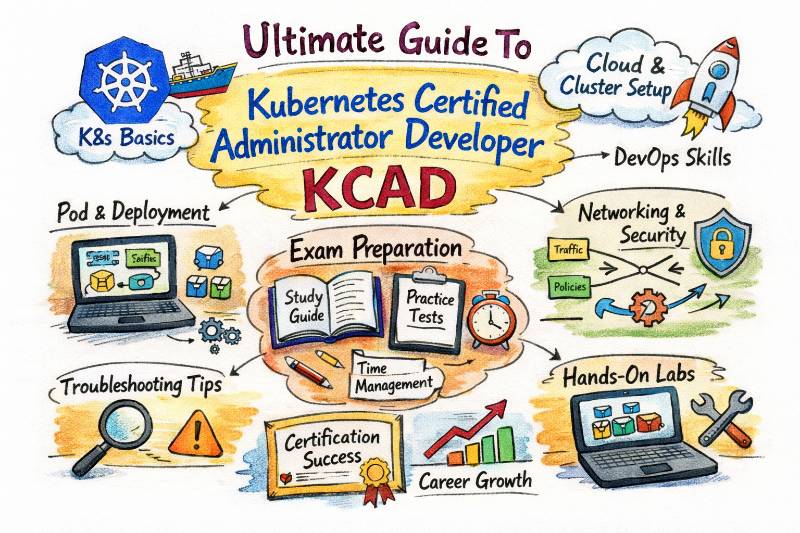
Kubernetes has become the operating system of the cloud. For engineering teams today, knowing how to containerize an application is just the start; the real challenge—and value—lies in orchestrating those containers at scale. The Kubernetes Certified Administrator & Developer (KCAD) program is designed to bridge the gap between writing code and running it in production. It is a dual-focused track that equips you with the operational discipline of an administrator and the agility of a cloud-native developer. This guide covers everything you need to know about the KCAD certification, including the syllabus, real-world projects, and the career paths it opens up.
Certification Snapshot
| Feature | Details |
|---|---|
| Certification Name | Kubernetes Certified Administrator & Developer (KCAD) |
| Track | Cloud & Container Orchestration |
| Level | Intermediate to Advanced |
| Target Audience | DevOps Engineers, SREs, Platform Engineers, Java/Python Developers, System Admins |
| Prerequisites | Basic Linux command line knowledge, understanding of containers (Docker/Podman), and YAML syntax. |
| Skills Covered | Cluster Architecture, Networking, Storage, Security, Pod Design, Observability, Troubleshooting. |
| Recommended Order | 1. Docker Fundamentals 2. KCAD (This Certification) 3. CKS (Security) |
About KCAD Certification
What it is
The KCAD is a comprehensive certification program that combines the competencies of cluster administration with application deployment. Unlike single-track exams that focus only on “keeping the lights on” (Admin) or “deploying apps” (Developer), KCAD validates that you can design a cluster, secure it, and deploy scalable microservices on top of it. It serves as a unified credential for professionals who need to understand the full lifecycle of a Kubernetes environment.
Who should take it
This certification is essential for DevOps Engineers who manage infrastructure, Software Engineers moving into cloud-native development, and System Administrators transitioning from legacy VMs to container platforms. If your role involves ensuring uptime or deploying code to Kubernetes, this is your baseline. It is also highly relevant for Platform Engineers building internal developer platforms (IDPs).
Skills you’ll gain
- Cluster Architecture: Understanding control plane components (API Server, etcd, Scheduler, Controller Manager) and worker nodes (Kubelet, Kube-proxy).
- Workloads & Scheduling: Deploying and managing Deployments, StatefulSets, DaemonSets, Jobs, and CronJobs.
- Services & Networking: Configuring ClusterIP, NodePort, LoadBalancer, and Ingress controllers; understanding CNI plugins and DNS.
- Storage Management: Implementing PersistentVolumes (PV), PersistentVolumeClaims (PVC), StorageClasses, and dynamic provisioning.
- Security: Managing RBAC (Role-Based Access Control), Service Accounts, Network Policies, and Security Contexts.
- Observability & Maintenance: Configuring Liveness/Readiness probes, logging, monitoring, cluster upgrades, and backup/restore (etcd).
- Troubleshooting: Debugging crashing pods, analyzing node failures, fixing network issues, and recovering broken clusters.
Real-world projects you should be able to do after it
By the end of this certification, you should be confident in building:
- High-Availability Cluster: Setting up a multi-node cluster with a resilient control plane using
kubeadmor managed services (EKS/AKS/GKE). - Canary Deployment Pipeline: Implementing a rollout strategy using Ingress controllers (like NGINX or Istio) to split traffic between two versions of an application.
- Persistent Storage Solution: Deploying a stateful database (like MySQL or Postgres) with dynamic storage provisioning and automated backups.
- Cluster Hardening: Securing a cluster by restricting API access, implementing strict Network Policies between namespaces, and setting up RBAC for different user roles.
- Autoscaling Infrastructure: Configuring Horizontal Pod Autoscalers (HPA) and Cluster Autoscalers to handle traffic spikes automatically.
Preparation Plan
- 7-14 Days (Intensive): Focus on core primitives (Pods, Services, Deployments) and hands-on labs. Ideal for those with existing Docker experience. Dedicate 4-6 hours daily to labs.
- 30 Days (Standard):
- Week 1: Architecture, Installation, and Pod Basics.
- Week 2: Workloads (Deployments, StatefulSets) and Services.
- Week 3: Networking, Storage, and Security (RBAC).
- Week 4: Troubleshooting, Mock Exams, and Advanced Topics.
- 60 Days (Relaxed): Deep dive into each component. Spend extra time setting up your own bare-metal cluster, experimenting with different CNI plugins, and practicing advanced troubleshooting scenarios.
Common Mistakes
- Ignoring Imperative Commands: Relying solely on writing YAML files from scratch instead of using
kubectl runorkubectl createto generate templates, which saves time during exams and incidents. - Overlooking Contexts: Failing to verify which cluster or namespace you are operating in, leading to accidental deletions in the wrong environment (e.g., deleting prod instead of dev).
- Neglecting Troubleshooting: Spending all study time on “happy path” deployments and panicking when a Pod sticks in
CrashLoopBackOfforImagePullBackOff. - Misunderstanding Networking: treating Kubernetes networking like traditional VM networking; failing to grasp how Pod-to-Pod and Service-to-Pod communication works.
Best next certification after this
Certified Kubernetes Security Specialist (CKS): Once you can run and use a cluster, the logical next step is securing the build, deploy, and runtime phases.
Choose Your Path
Your journey doesn’t end with KCAD. Depending on your career goals, here is how you should pivot:
- DevOps Path: KCAD → Terraform/Ansible → CI/CD (Jenkins/GitLab) → Certified DevOps Architect. Focus on automating the cluster creation and app deployment.
- DevSecOps Path: KCAD → CKS → Container Security Scanning (Trivy/Clair) → Policy as Code (OPA/Gatekeeper). Focus on securing the supply chain and runtime.
- SRE Path: KCAD → Prometheus/Grafana → SLO/SLI Design → Chaos Engineering. Focus on reliability, observability, and incident response.
- AIOps/MLOps Path: KCAD → Kubeflow → Model Serving (Seldon/KServe) → GPU Scheduling. Focus on running AI/ML workloads on K8s.
- DataOps Path: KCAD → Apache Spark on K8s → Kafka/Strimzi Operators → Airflow on K8s. Focus on running big data pipelines on K8s.
- FinOps Path: KCAD → Kubecost/OpenCost → Resource Quotas → Cloud Budgeting. Focus on cost visibility and optimization in dynamic environments.
Role → Recommended Certifications Mapping
| Role | Recommended Certifications |
|---|---|
| DevOps Engineer | KCAD, Docker Certified Associate (DCA), Terraform Associate |
| Site Reliability Engineer (SRE) | KCAD, Certified Kubernetes Security Specialist (CKS), Prometheus Certified Associate |
| Platform Engineer | KCAD, CKA, AWS Certified Advanced Networking |
| Cloud Engineer | KCAD, AWS/Azure Solutions Architect, HashiCorp Terraform |
| Security Engineer | KCAD, CKS, Certified DevSecOps Professional (CDP) |
| Data Engineer | KCAD, Databricks Certified Data Engineer, Kafka Administrator |
| FinOps Practitioner | KCAD, FinOps Certified Practitioner, Cloud Cost Management |
| Engineering Manager | KCAD (Foundation), Certified DevOps Manager (CDM), PMP/Agile |
Top Institutions for KCAD Training & Certification
Here are the leading institutions that provide specialized training and certification support for KCAD:
1. DevOpsSchool
A premier provider offering deep-dive training with a focus on real-world scenarios. They provide unlimited lab access on AWS, lifetime technical support, and a comprehensive interview kit. Their curriculum aligns strictly with industry needs, covering 16+ top tools. They offer flexible schedules (weekdays/weekends) and provide recordings and materials for lifetime access .
2. Cotocus
Known for its corporate training pedigree, Cotocus focuses on consulting-led training. Their instructors are typically working consultants who bring live project experience into the classroom, making it ideal for teams needing custom upskilling.
3. Scmgalaxy
Scmgalaxy is a community-driven platform that excels in configuration management and DevOps tools. Their KCAD training is heavily focused on automation and integration with legacy SCM tools, making it great for those in transition phases.
4. BestDevOps
This institute focuses on “bootcamp” style intensive learning. BestDevOps is known for short, high-impact courses designed to get engineers exam-ready quickly with rigorous mock tests and rapid-fire labs.
5. devsecopsschool
As the name suggests, they integrate security into every aspect of Kubernetes. Their KCAD training includes extra modules on hardening clusters and compliance, perfect for those in regulated industries like banking or healthcare.
6. sreschool
SRE School approaches Kubernetes from a reliability standpoint. Their training emphasizes observability, monitoring, and troubleshooting production outages, going beyond just passing the exam to surviving on-call rotations.
7. aiopsschool
Specializes in running AI/ML workloads on Kubernetes. Their version of KCAD includes setting up GPU nodes and managing heavy compute workloads, catering specifically to the data science support crowd.
8. dataopsschool
Focuses on stateful workloads in Kubernetes. Their training dives deep into running databases, queues, and streaming platforms on K8s, addressing the “hard parts” of persistent storage and data gravity.
9. finopsschool
A niche provider that teaches you how to run Kubernetes without breaking the bank. Their curriculum includes resource optimization, rightsizing pods, and understanding the cost implications of your cluster architecture.
FAQs: Kubernetes Certified Administrator & Developer (KCAD)
1. Is the KCAD certification suitable for beginners?
Yes, but you need a foundation. If you are comfortable with the Linux command line and understand what a container (Docker) is, KCAD will take you from that basic level to intermediate mastery. It is designed to build your skills step-by-step.
2. How long does it take to prepare for the KCAD?
For a working professional spending 1-2 hours a day, 30 to 45 days is the sweet spot. If you can dedicate full-time effort (bootcamp style), you can be ready in 14 days.
3. What are the prerequisites for this course?
You do not need to be a coder, but you must know basic Linux commands (cd, ls, grep, vi/nano) and basic networking concepts (IPs, ports). Knowledge of YAML syntax is highly recommended as all Kubernetes manifests are written in YAML.
4. Does this cover both Administration (CKA) and Development (CKAD) topics?
Yes. The KCAD curriculum is a hybrid that covers the cluster management skills of the CKA (upgrades, networking) and the workload design skills of the CKAD (Deployments, multi-container pods). It provides a holistic view.
5. Will this help me get a job as a DevOps Engineer?
Absolutely. Kubernetes is currently the #1 most requested skill for DevOps roles. Having a certification that proves you can both manage a cluster and deploy applications is a major differentiator in the hiring process.
6. Do I need to know programming (Python/Java) to pass?
No. You do not need to write application code. However, you need to understand how to read code to package it into containers and how to configure the files (YAML) that tell Kubernetes how to run that code.
7. How does the “Unlimited Lab on AWS” work?
Providers like DevOpsSchool offer cloud-based labs where you can spin up clusters on AWS infrastructure without using your own credit card. This allows you to break and fix clusters without fear of a bill shock.
8. What is the value of KCAD compared to standard cloud certifications?
Cloud certifications (AWS/Azure) are broad. KCAD is deep. It proves you have specialized skills in the specific technology that powers modern cloud applications. Employers value this specificity because it translates directly to day-one productivity.
9. Is the exam hands-on or multiple choice?
Real-world Kubernetes exams are typically performance-based, meaning you have to solve problems in a live terminal (e.g., “Fix this broken pod” or “Create a deployment”). This guide prepares you for that practical format.
10. Can I take this training online?
Yes, most top providers offering KCAD preparation, including DevOpsSchool, offer live interactive online training that simulates a classroom environment, complete with Q&A and lab support.
11. Does the certification expire?
Most Kubernetes certifications are valid for 2-3 years. This ensures that certified professionals stay up-to-date with the rapid release cycle of Kubernetes versions.
12. What tools will I learn besides Kubernetes?
A good KCAD course will also touch on the ecosystem around Kubernetes, including Docker (container runtime), Helm (package manager), Prometheus (monitoring), and basic CI/CD concepts.
FAQs: Kubernetes Certified Administrator & Developer (KCAD)
1. How does KCAD differ from taking CKA and CKAD separately?
The KCAD program is designed as a unified “Zero to Hero” track. While CKA focuses strictly on cluster operations (upgrades, networking) and CKAD on application design, KCAD merges these. It is ideal for professionals who need the full picture—building the cluster and running apps on it—without taking two disjointed courses.
2. Is coding experience required to pass the KCAD?
No, you do not need to be a software developer. You do not need to write Java, Python, or Go code. However, you must be comfortable reading and editing YAML files, as this is the configuration language used for all Kubernetes objects.
3. What happens if I get stuck during a real-world project?
If you are taking training through providers like DevOpsSchool, you typically receive lifetime technical support. In a self-study environment, you would rely on the Kubernetes documentation. The KCAD training focuses on teaching you how to use the official documentation effectively to solve problems, which is a critical skill for the exam.
4. Can a non-technical manager take this course?
It is possible, but it will be challenging. This is a technical, hands-on certification. For managers who only need high-level knowledge (vocabulary, cost, architecture) without the command-line work, the Certified Kubernetes & Cloud Manager (CKCM) might be a better fit. KCAD is for those willing to get their hands dirty.
5. How difficult is the KCAD compared to AWS or Azure certifications?
Most candidates find Kubernetes certifications harder than standard cloud certifications. Cloud exams are often multiple-choice and verify knowledge. Kubernetes exams (and the KCAD curriculum) are performance-based, meaning you must actually perform tasks in a live terminal to pass. You cannot guess your way through it.
6. What is the typical salary hike after becoming Kubernetes certified?
Industry trends suggest that professionals with valid Kubernetes skills command a premium of 20% to 30% over their peers. As of 2025, Kubernetes is one of the highest-paying skills in the DevOps market because the demand for skilled operators far exceeds the supply.
7. Does the certification expire?
Yes. The Kubernetes ecosystem moves fast, with 3-4 major releases per year. To ensure your skills are current, certifications generally last for 2 or 3 years. Renewing them requires retaking the exam, which proves you are up-to-date with the latest API changes and features.
8. Can I prepare for this using only a Windows laptop?
Yes. While Kubernetes runs natively on Linux, you can easily set up a lab environment on Windows using tools like WSL2 (Windows Subsystem for Linux), Docker Desktop, or by using the cloud-based labs provided by your training institute. You do not need a physical Linux machine.
Conclusion
Kubernetes is no longer an “optional” skill for the modern engineer; it is the standard. Whether you are a developer wanting to understand where your code lives, or an operator needing to manage massive scale with minimal effort, the Kubernetes Certified Administrator & Developer (KCAD) provides the comprehensive toolkit you need. This certification is not just about passing an exam—it is about gaining the confidence to walk into any organization and architect, deploy, and secure their containerized infrastructure. The learning curve is steep, but the view from the top is worth it.